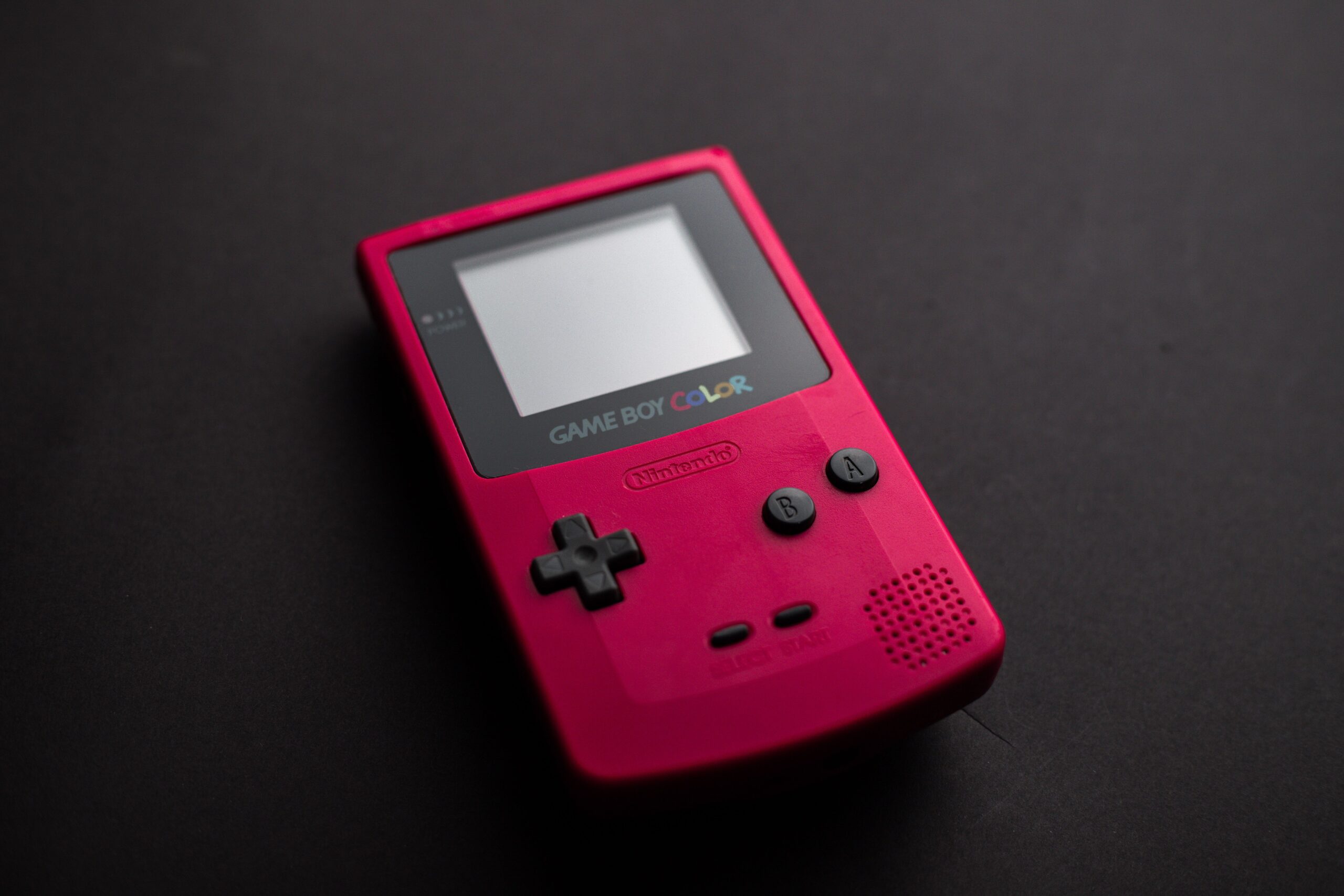

The Game Boy is the most successful piece of gaming hardware ever made, and thirty-five years later it is also the most confusing one to buy. The name covers six very different machines released between 1989 and 2005, and a market full of repaired, reshelled and outright fake units makes it dangerously easy to pay collector prices for a console that is not worth half of it. I test Game Boys for a living, and this guide is the honest version of everything I look for before I hand over money: every model compared, the exact faults to check, the mods that are worth it, the prices that are real and the traps that cost people the most.
The Game Boy Family: Every Model Explained
The single biggest mistake buyers make is treating “Game Boy” as one console. It is a family of six machines with different screens, different libraries and very different prices. Here is every one of them, in order, with what actually matters about each.
The Original Game Boy (1989)
The brick. Launched with Tetris in 1989, the original Game Boy is a thick slab of grey plastic with a green screen, four AA batteries and a library of over a thousand games. It is the console that created handheld gaming as we know it, and the most iconic design in the family. As a purchase it is also the most variable: a beat-up working unit costs very little, while a mint-in-box example is a genuine collector’s item with a three-figure price tag. The screen is the weak point, and the grey version suffers from the vertical line problem that I will describe in detail below.
Game Boy Pocket (1996)
The Pocket was Nintendo fixing the brick’s two biggest complaints: it is roughly 40% smaller and uses two AAA batteries instead of four AAs. It keeps the original’s monochrome green screen, but the smaller shell made it far more fragile, and cracked screens and worn cases are the norm on the second-hand market. For play, the Pocket is the best of the monochrome era; for collecting, it is the least loved and the cheapest of the six, which makes it the honest entry point for a first Game Boy.
Game Boy Color (1998)
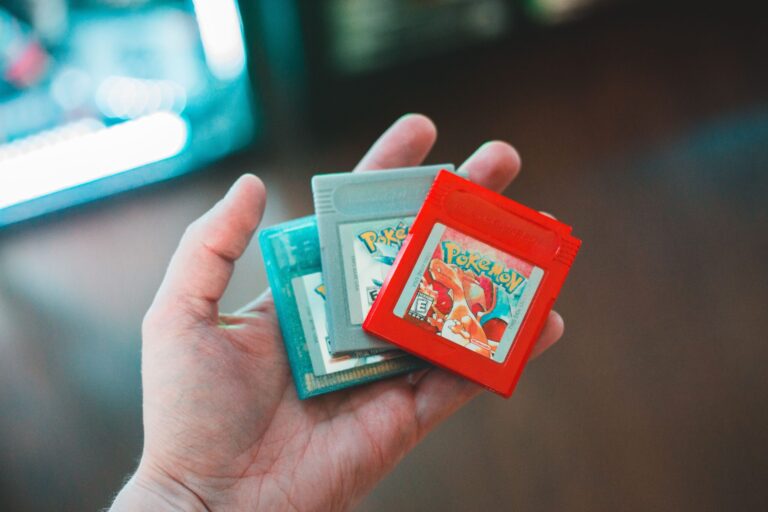
The Color is the pivot point of the family. It plays the entire original Game Boy library in addition to its own colour games, it is backwards compatible, and it introduced the plastic see-through shells that are now the most sought-after in the hobby. The colour screen is significantly better than the green one, and it is the model most people picture when they think of the Game Boy line today. It is also the model where the price ladder gets steep: common colours are cheap, limited editions like the Pokémon edition cost real money, and fake shells are everywhere.
Game Boy Advance (2001)
The GBA brought 32-bit power, a landscape design and a library that includes some of the best 2D games ever made. The catch is the screen: the original GBA has no backlight, and playing it in anything but bright light is a chore. That single flaw is why the Advance is the model most frequently modified, and why the IPS mod kits I cover below were created. For an unmodified example, condition matters more than price, because nearly every GBA on the market has been played and stored carelessly.
Game Boy Advance SP (2003)
The SP is the clamshell, and it fixed the two things wrong with the Advance: it has a frontlit screen and a rechargeable battery. It is the most practical Game Boy ever made, which is why it is also the one that survived best, and the AGS-101 model with its much brighter backlit screen commands a genuine premium. If you want to buy one console and actually play it without modding anything, the SP is the honest answer.
Game Boy Micro (2005)
The Micro is the odd one out. It only plays Game Boy Advance games, it is tiny, and it was discontinued within a year, which makes it the rarest of the six by far. It is also the most expensive, because every Micro was either loved or lost. The screen is bright and the build quality is superb, but for most buyers it is a collector’s piece rather than a daily driver, and I would never recommend it as a first Game Boy.
What to Check Before You Buy
Whatever model you choose, the same handful of faults decides whether you bought a bargain or a trap. Learn these checks and you can walk into any market, any garage sale and any listing and separate the honest machines from the expensive mistakes. Here is the checklist I run on every Game Boy before I buy.
The Screen: Lines, Burn and Broken Pixels
Screen problems are the most common fault and the most overpriced fix. The original Game Boy is famous for vertical lines appearing on the LCD, caused by the ribbon connection to the screen; they can sometimes be fixed by re-seating the ribbon with a warm soldering iron, but they always lower the value. The Pocket and GBA suffer from screen burn and scratched polarizers, and any model can have dead pixels or cracks. Turn the console on and look at the whole screen, not just the middle; a line or a burn mark at the edge halves the price.
The Shell, Buttons and Labels
Cosmetic condition is where sellers tell the truth about a console’s history. A scratched screen cover, worn lettering on the buttons and a cracked shell mean the machine was carried loose in pockets and bags for decades, and they hint at what the inside looks like. The serial number label on the back is the detail most buyers skip and the one that matters most: an original label with intact printing suggests a console that was looked after, and a missing or replaced label is the first sign of a reshell or a frankenconsole built from parts.
Sound, Power and the Battery Compartment
Test the sound with headphones and through the speaker, because a broken speaker is a repair you will have to make. Then check the power side carefully. On the AA-powered models, look inside the battery compartment for corrosion; white or green residue is the red flag, and corrosion can damage the board, not just the contacts. On the SP, check that it charges and that the battery holds charge for more than a few minutes, because an SP that only works plugged in has a dead battery that will cost you a replacement.
Original, Refurbished or Reshelled?
The Game Boy market runs on a dirty secret: many machines sold as “mint condition original” are rebuilt, reshelled or completely fake. Knowing which one you are buying is the difference between a fair price and paying triple for a Frankenstein console. Here is how the three categories work.
Buying an Original in Good Condition
A genuine, untouched Game Boy with its original shell, original screen and original serial label is the safest purchase and the best investment. The price will be higher, but the value holds and the faults are predictable. Check the label, check that the shell colour and the screen match the model and region, and check that the screws are not stripped, because stripped screws mean someone has already been inside.
Refurbished Machines: What You Are Actually Getting
Refurbishment can mean anything from a new battery to a complete reshell, and honest sellers say exactly what they did. A console described as “serviced, new battery, cleaned” is usually a fair deal. One described vaguely as “refurbished” with no detail is a gamble, because the new parts may be third-party knock-offs with a shorter life than the original parts they replaced. Always ask what was replaced and with which parts.
Reshells and the Fake Game Boy Trap
This is the trap that costs the most. Aftermarket shells are cheap and easy to install, so sellers buy broken Game Boys, put them in shiny new shells and list them as “mint, like new” at mint prices. The console plays fine, but it is not an original, it will not hold its value, and a buyer who expected an untouched collector’s item has been cheated. The giveaways are the serial label, the texture of the shell and the quality of the printing. When the price seems too good for a “mint” console, it is a reshell.
The Modded Game Boy: IPS Screens and Modern Upgrades
Modding is where the modern Game Boy revival actually lives, and as someone who has rebuilt more Game Boys than I can count, I am a believer in the honest mod. A well-done IPS upgrade turns the worst part of the original hardware into its best part. But mods change the value, and they are not all created equal. Here is what is worth doing and what is not.
IPS Screen Kits: The Upgrade Worth Paying For
An IPS kit replaces the original LCD with a modern screen that is bright, colourful and fully backlit, and it is the single best upgrade in the entire hobby. An original GBA with an IPS screen is a genuinely great console, and it transforms the Game Boy Color into something you will actually want to play in the evening. The kits are cheap, the install is well documented, and the result is dramatic. If you buy a machine and the screen is the only fault, this is the fix.
Battery and Charging Mods
The AA-powered models are hungry, and modern rechargeable cells make the whole experience better. A USB-C battery mod replaces the AA compartment with a rechargeable pack, and for the models that were designed to eat AAs it is the mod that pays for itself. The honest warning is that a battery mod cuts into a collector’s original, so do it on a console you plan to play, not one you plan to flip. There is also a growing market of third-party replacement batteries for the SP, and they vary wildly in quality; read reviews before you buy one.
Flash Carts and the Legal Question
Flash carts like the EverDrive let a single cartridge hold your whole library, and they are the most convenient way to actually play the games you own. They are legal to buy and legal to own, exactly like the emulation setups I have covered elsewhere on this site; what is not legal is downloading ROMs of games you do not own. The honest rule is the same on every format: own the games, and the hardware is just a way to play them.
The Honest Price Guide
Game Boy prices swing hard with condition, region and the colour of the shell, and the difference between a common and a collectable example can be an order of magnitude. These are the ranges I would expect on the current market for working machines with their original shells.
| Model | Honest price range | What you get | Best for |
|---|---|---|---|
| Game Boy Pocket | $40 – $80 | Smallest monochrome, cheap and common | First Game Boy, budget buyers |
| Original Game Boy | $50 – $120 | The iconic brick, screen lines are normal | Nostalgia, collectors |
| Game Boy Color | $70 – $150 | Backwards compatible, huge library | The all-round recommendation |
| Game Boy Advance | $60 – $120 | 32-bit library, poor screen, IPS-ready | Modders |
| Game Boy Advance SP (AGS-101) | $120 – $200 | The backlit clamshell, best unmodded screen | Playing out of the box |
| Game Boy Micro | $150 – $300 | Rare, tiny, GBA-only | Collectors |
Those numbers are for honest working machines. A mint-in-box limited edition Game Boy Color can be worth several times the top of its range, and a broken unit sold “for parts” is the cheapest way in if you can solder, because the repair economics of retro hardware are exactly the same ones I covered in my guide to where to buy retro games. Set a ceiling before you start bidding, because the excitement of the hunt is exactly what sellers price into a listing.
Where to Buy and What to Avoid
The best places to find a Game Boy are the same places I recommend for all retro games, but the handheld market has a few specific warnings. Local retro stores are the safest first stop: you can hold the machine, test the screen and see the label in person. Reputable online retro shops that photograph the actual unit and describe its faults are the next best. Auctions are where the bargains live, but also where reshells and dead screens hide behind bad photos, so never bid without seeing a photo of the label and the screen switched on.
What I avoid is the category of listings I have learned to distrust: “mint, untested” (a contradiction in terms), “just needs a screen” (the screen is the expensive part), and any bundle priced like a steal, because a Game Boy that looks too cheap on paper is usually a Game Boy that is about to be someone else’s problem. Condition and honesty are worth more than a low number.
Frequently Asked Questions
Which Game Boy should I buy first?
For most people, the Game Boy Color or the Game Boy Advance SP (AGS-101). The Color plays the whole classic library, and the SP has the best unmodded screen. If your budget is tight, a Pocket is a genuinely good first machine; if you want to mod, start with a GBA.
Is it worth buying a modded Game Boy?
Yes, if you plan to play it and the mod is an IPS screen, done properly. No, if you are paying a mint price for a reshell that was advertised as original. The difference is whether the seller is honest about what the machine is.
How much should I pay for a Game Boy Color?
A common colour in honest working condition is $70 to $150. Limited editions, boxed examples and mint units are worth more. Anything below the range is either a bargain or a problem, and it is usually a problem.
Is it legal to play Game Boy games on a flash cart?
Yes, for games you own. Flash carts and emulation are legal hardware and software; downloading ROMs of games you do not own is not. Own the games, and you stay on the right side of the law.
Conclusion: Buy the Game Boy You Will Actually Play
The Game Boy family has a machine for every kind of buyer, and the honest secret is that there is no objectively best one, only the right one for how you want to use it. Want the icon on the shelf? Buy a nice original and accept the screen. Want to play the whole library tonight? The SP is the machine. Want a project that teaches you the hardware? A broken GBA and an IPS kit will teach you more than any guide can.
Wherever you buy and whatever you buy, check the screen, check the label, and never trust a “mint” that refuses to show the back of the console. The Game Boy is thirty-five years old, and the ones that survived did so because someone looked after them. Buy the one that was looked after, and it will still be worth playing in another thirty-five.