
Defining the Modern Retro Gaming Handheld Landscape
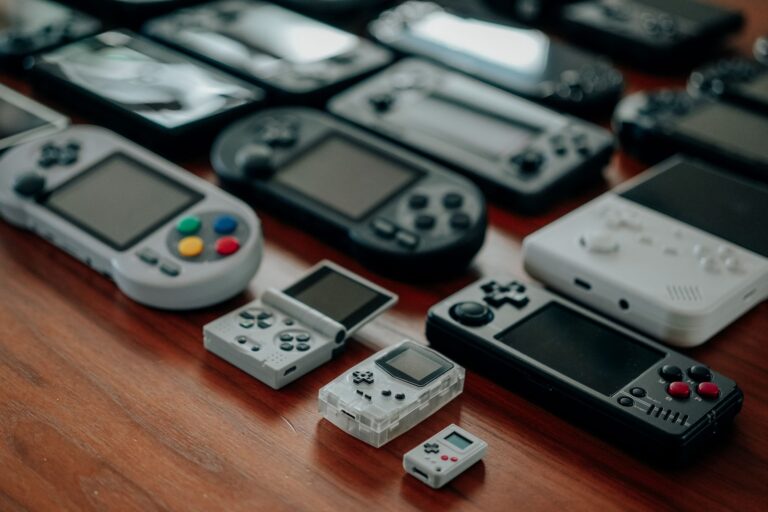
The retro gaming handheld scene has grown far beyond the boundaries of salvaged monochrome screens and tethered power supplies. Today, handheld retrogaming spans everything from modular hardware rebuilds to portable pocket machines capable of driving extensive libraries on a single charge. At the center of the portable emulation boom is RetroArch, the open-source front end running libretro cores across a wide array of operating systems. This flexible environment grants enthusiasts precise control over their experience, pairing responsive controls with shaders that reproduce classic scanline patterns and display characteristics on sharp, high-density modern panels.
Beyond visual fidelity, modern handhelds redefine how we interact with legacy titles by integrating indispensable quality-of-life features. The convenience of a save state–capturing the entire memory profile of a session for an instantaneous reload–complements traditional in-game saves that were historically limited to fixed checkpoints. Combined with custom per-core configurations, rewinding capabilities, and broad community support, this thriving ecosystem offers a versatile platform that keeps gaming history thoroughly playable on the go.
Original Hardware Upgrades: Restoring the Game Boy with IPS Kits and Flash Carts
For players who prize original silicon over modern multi-system emulators, rehabilitating a classic Game Boy has become an essential craft. The single most transformative upgrade is the aftermarket IPS kit. Replacing the reflective, unlit factory screen with a modern IPS panel provides vibrant colors, sharp contrast, and multi-level backlight brightness. While installing an IPS kit generally requires basic shell modification and light soldering, the resulting clarity eliminates the notorious ghosting of vintage panels while keeping the original feel and processing intact.
Once the display is modernized, pairing the handheld with a reliable flash cart completes the ultimate field kit. Solutions like Krikzz’s EverDrive line accept standard microSD cards loaded with digital backups, allowing the console to read and execute game data just like an original retail cartridge. In addition to protecting rare physical cartridges from wear and tear, high-grade flash carts provide instant in-game menus, fast boot times, and support for save states on select models. Together, an IPS kit and a flash cart restore authentic Nintendo hardware into a resilient daily driver.
FPGA vs Software Emulation: Cycle Accuracy with the Analogue Pocket
The pursuit of authentic performance highlights a fundamental divergence in modern portable gaming: software emulation versus Field-Programmable Gate Arrays. While conventional handhelds run software emulators that translate original game code through an intermediate operating system, FPGA hardware operates at the circuit level. Devices such as the Analogue Pocket utilize reprogrammable FPGA chips to recreate the exact physical logic gates of legacy consoles. This fundamental hardware modeling achieves authentic cycle-accurate execution, eliminating software processing overhead and delivering the lowest possible input latency.
This level of fidelity becomes immediately apparent in fast-paced platformers and action games, where precise jump timings and tight audio synchronization are paramount. While software emulation handhelds powered by tools like RetroArch deliver outstanding versatility across dozens of platforms at an accessible price point, FPGA hardware prioritizes pure structural authenticity. For enthusiasts seeking uncompromising hardware replication alongside modern high-resolution displays, the Analogue Pocket represents the pinnacle of accurate portable retro gaming.
Software Emulation Workflows: Setting Up RetroArch Cores, BIOS, and Save States
Getting a modern emulation handheld running smoothly always starts with understanding RetroArch and its modular libretro cores. Instead of juggling dozens of standalone apps with conflicting control schemes, RetroArch centralizes multi-system emulation under one unified interface, letting you assign dedicated cores to distinct platforms. Precision setup requires configuring global input schemes and video scaling profiles before applying per-core overrides for specific display options, CRT scanline shaders, or button remaps that faithfully mimic original console feel.
BIOS management forms the next essential checkpoint in this software workflow. While 8-bit and 16-bit systems boot directly into ROM backups without external system files, platforms such as the Sony PS1, Sega CD, and PSP demand authentic BIOS images placed inside the designated system directory. Because these BIOS files represent copyrighted firmware, you need to dump them directly from original hardware you own to maintain a clean, legal setup. Missing or misnamed firmware leads to failed boots or persistent audio glitches, making verified directory paths a baseline requirement for reliable portable play.
The final layer of everyday convenience centers on save states. Unlike traditional in-game saves that rely on fixed battery-backed cartridges or memory cards at rigid checkpoints, a save state captures the active memory profile of your session at any exact moment. Assigning intuitive hotkey combinations on your handheld allows for instant quick-saving right before tough platforming sections or suspending gameplay during a commute. Combining hotkey-driven save states with custom rewinding and automated SRAM syncing delivers a smooth, dependable handheld workflow that respects your gaming time.
Field Testing Portables: Battery Longevity, Screen Formats, and Ergonomics
Putting an emulation handheld through real-world testing quickly reveals that manufacturer spec sheets tell only half the story. Real battery longevity depends heavily on the underlying architecture and processor load. Lightweight 8-bit and 16-bit emulation through optimized RetroArch cores draws modest power, often yielding five to six hours of continuous gameplay on a standard lithium-ion pack. Pushing the processor with heavier 3D titles or activating complex CRT shaders cuts runtime significantly, requiring players to balance display brightness, sleep-mode drains, and thermal throttling out in the field.
Display quality and aspect ratios dictate how authentic your favorite games actually look during long sessions. Classic home consoles designed around standard 240p signals naturally favor 4:3 displays, whereas dedicated Game Boy and Game Boy Advance layouts demand specific integer scaling to avoid blurry pixel interpolation. Modern high-resolution screens and backlit IPS panels solve legacy visibility problems, but improper screen scaling can cause distracting shimmering in scrolling platformers. Finding a handheld whose panel natively matches your preferred gaming era ensures razor-sharp pixels without aggressive letterboxing or distorted geometries.
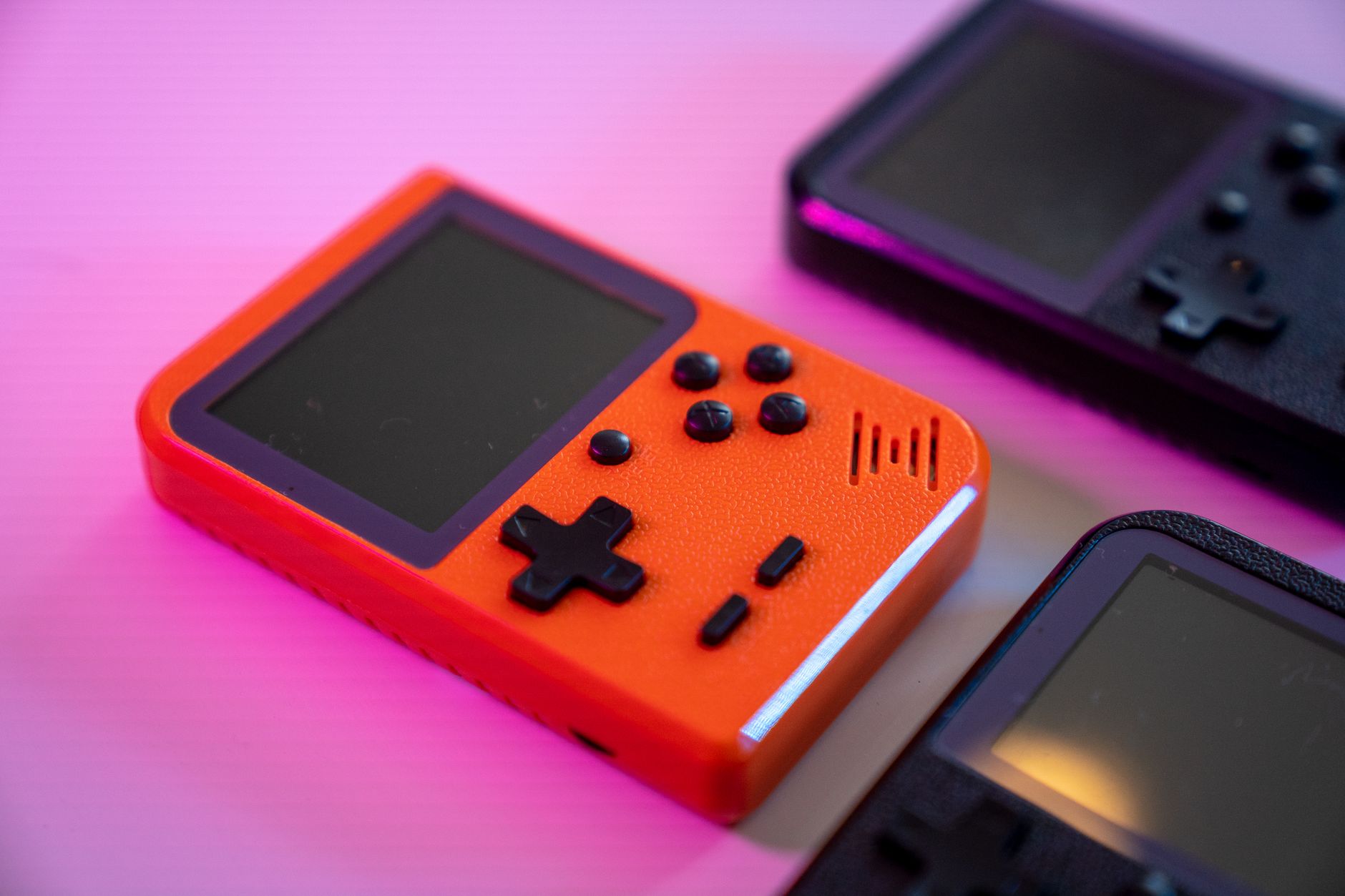
Ergonomic construction remains the ultimate deciding factor for any portable daily driver. Compact pocketable form factors offer supreme mobility, yet cramped shoulder buttons and flat rear casings induce hand fatigue during extended RPG sessions. Balanced weight distribution, tactile microswitches, responsive directional pads, and textured grips make a measurable difference when holding a console for hours. True field reliability means your handheld must feel just as comfortable during an intense action sequence as it does resting effortlessly in your travel bag.
Frequently Asked Questions About Choosing a Retro Gaming Handheld
Choosing the right handheld retrogaming device begins with deciding between dedicated FPGA hardware and software emulation handhelds. An FPGA machine like the Analogue Pocket models classic circuitry at the physical gate level for cycle-accurate execution and ultra-low input latency, making it the premier choice for cartridge purists seeking uncompromising accuracy. Conversely, software handhelds running RetroArch offer massive multi-system libraries, broader platform coverage, and customizable save state tools at a far more accessible price point.
Another common question centers on screen upgrades versus dedicated emulation machines for playing Game Boy classics. Modding original Game Boy hardware with a modern IPS kit and an EverDrive flash cart preserves the unmistakable tactile feedback and authentic audio processing of vintage Nintendo hardware. However, modern all-in-one handhelds provide backlit high-density displays, built-in rechargeable battery management, and cross-platform flexibility right out of the box without requiring soldering irons or donor shells.
Finally, newcomers frequently ask what systems an entry-level handheld can reliably run and whether BIOS files are strictly mandatory. Most budget portables handle everything from NES and SNES up to PS1 effortlessly, provided you organize proper ROM formats and legal BIOS dumps for CD-based consoles. Prioritizing proven controls, dependable battery capacity, and active community software support ensures you select a portable powerhouse that stays enjoyable for years to come.