
Defining the Modern Retro Gaming Handheld Landscape
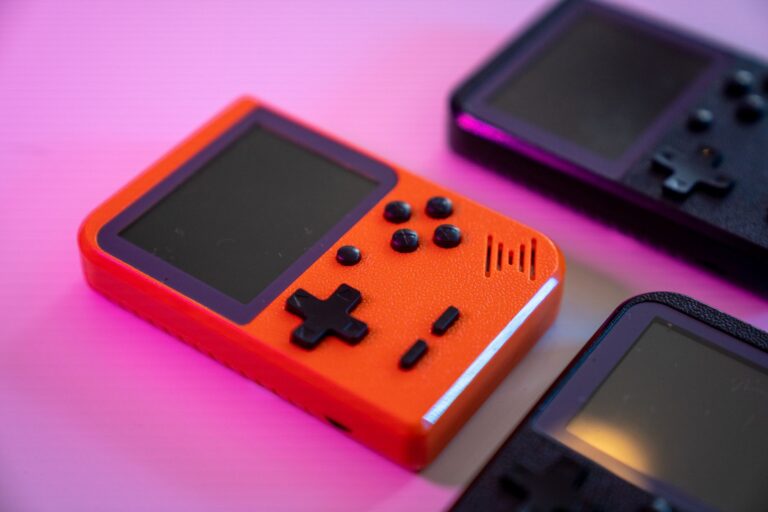
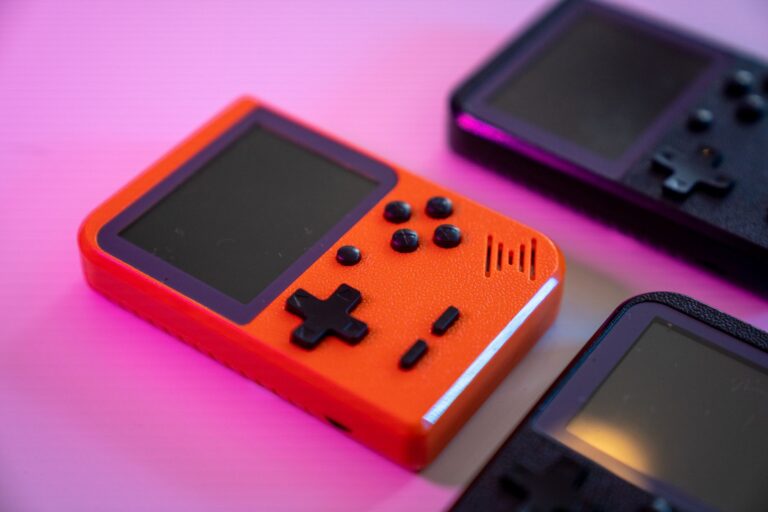
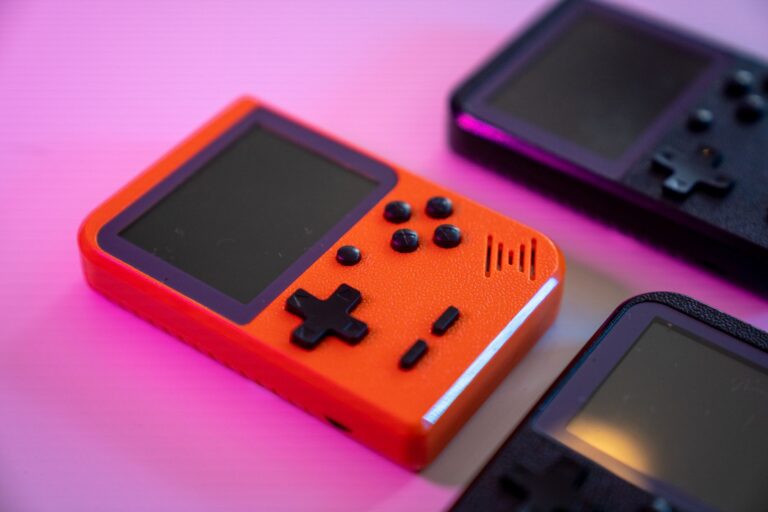
The contemporary retro gaming handheld landscape has matured into a sophisticated ecosystem divided cleanly between software emulation and hardware-level recreation. On one side, versatile portable devices leverage software front ends like RetroArch, running libretro cores to emulate classic architectures on portable chipsets. These handhelds deliver broad flexibility, providing modern enhancements such as instant save states, game rewinding, and custom display shaders that emulate traditional scanline textures. They offer an accessible entry point for players seeking multi-system access within a compact, everyday footprint.
At the opposite end of the engineering spectrum sits dedicated hardware simulation powered by Field-Programmable Gate Array technology. Handhelds like the Analogue Pocket utilize FPGA chips programmed to replicate original silicon circuitry directly, bypassing software abstraction layers entirely. This approach achieves cycle-accurate execution and ultra-low input latency that mirror factory hardware down to the clock cycle. While FPGA solutions command a higher purchase price due to specialized components, they represent the gold standard for enthusiasts who prioritize absolute mechanical precision over broad software emulation.
Choosing a path across this portable retrogaming landscape ultimately balances financial commitment against authenticity. Software-driven handhelds excel in everyday convenience, customizability, and affordable mass appeal, whereas FPGA systems offer uncompromising circuit-level accuracy for classic cartridge libraries. Understanding this technical distinction ensures you invest in the right portable companion to match your preservation values and play habits.
Original Hardware vs. Modern Emulation: Making the Practical Choice
Deciding between original vintage hardware and a modern emulation handheld is the central dilemma of retro gaming. Original handhelds provide the genuine tactile response of classic buttons, native power distribution, and the exact physical experience envisioned by their original designers. When paired with a reliable flash cart such as an EverDrive, these classic systems read ROM files directly off a microSD card, granting access to expansive game libraries on authentic silicon without losing compatibility with original cartridge mechanics and native in-game saves.
Modern emulation handhelds present a completely different set of practical advantages centered around quality-of-life features and consolidation. Running open-source front ends like RetroArch, these portables allow players to trigger save states at will, bypassing punishing checkpoint limits and enabling effortless pick-up-and-play sessions. However, software emulation requires deeper configuration, including managing system firmware and sourcing proprietary BIOS dumps for platforms like the original PlayStation to ensure stability and proper boot routines across diverse cores.
For the discerning player, the choice comes down to tactile preservation versus consolidated convenience. Original hardware with flash cart integration retains authentic refresh behavior, zero software input lag, and collector pride at the cost of carrying dedicated consoles for specific eras. Conversely, an emulation handheld serves as an all-in-one archive, sacrificing pure circuit fidelity in exchange for unified controls, illuminated modern displays, and travel-ready versatility.
Modding the Game Boy: IPS Kit Screens and Shell Restoration
Restoring an original Nintendo Game Boy or Game Boy Color to peak operational condition remains one of the most rewarding projects on the modding workbench. The defining step in any build is replacing the dim, unlit factory reflective LCD with an aftermarket IPS kit. An IPS panel replacement completely modernizes the portable experience by offering razor-sharp pixel reproduction, vivid color saturation, and multiple tiers of adjustable backlight brightness. This modification transforms an otherwise squint-inducing vintage screen into a vibrant display suitable for any lighting condition.
Executing a clean display mod requires a steady hand and methodical mechanical preparation. Most modern IPS kit packages call for light soldering to bridge brightness control pads to the handheld’s test pads or button traces, along with careful ribbon cable routing inside the housing. Coupling this screen upgrade with a fresh aftermarket shell and replacement silicone button membranes restores crisp tactile feedback and structural integrity, turning a scratched, battery-corroded yard-sale find into an immaculate showpiece.
A fully restored Game Boy equipped with an IPS display and an EverDrive flash cart delivers the pinnacle of authentic handheld retrogaming. This setup honors the original audio amplification, processor timings, and ergonomic grip of classic gaming hardware while eliminating the historic visual compromises of early LCD technology. The end result is a resilient, modern-ready portable that handles hours of play without sacrificing its authentic retro soul.
The Flash Cart Advantage: Running ROMs via EverDrive on Genuine Silicon
Slotting a dedicated flash cart into original vintage hardware remains the gold standard for players who refuse to compromise on authenticity. Devices like the renowned EverDrive series developed by Krikzz allow you to load an entire catalog of ROM files onto a standard microSD card, feeding game code directly into the native processor of a Game Boy or classic console. Because the host system executes the game as if an original retail cartridge were inserted, you retain the exact bus timings, proprietary audio amplification, and physical button resistance engineered by the original manufacturer.
Beyond pure preservation, premium flash carts bring significant quality-of-life enhancements directly to legacy boards. Modern EverDrive units house dedicated logic to manage in-game menus, direct SD read-write routines, and instant access to save states on supported platforms without overwriting traditional battery-backed SRAM. This architecture eliminates the heartbreak of dead CR2025 coin cells wiping hours of progress, safely archiving your save data back to the microSD card whenever you power down.
For the workbench enthusiast, pairing a restored handheld with a flash cart delivers an unmatched balance of physical nostalgia and modern convenience. You sidestep the exorbitant secondary market prices of individual cartridges while maintaining true circuit-level performance free from emulation frame drops or digital audio distortion. It stands as an essential centerpiece for any purist building a durable, travel-ready vintage library on authentic hardware.
FPGA Portables: Cycle-Accurate Hardware vs Software Emulation Handhelds
The rise of Field-Programmable Gate Array technology has redefined the high-end portable retro gaming landscape. Instead of relying on a generalized CPU running software instructions that interpret legacy code, devices such as the Analogue Pocket use reprogrammable FPGA chips to recreate classic internal architectures at the physical gate level. By reconstructing original processor circuits, memory registers, and custom sound chips line for line, FPGA handhelds achieve cycle-accurate timing and ultra-low input latency that software-driven alternatives cannot consistently guarantee.
Software emulation handhelds take an entirely different design philosophy, employing cost-effective system-on-a-chip processors to translate legacy machine code through an intermediate software layer. While modern emulation chips pack enough raw horsepower to run massive libraries across multiple console generations, that computational abstraction introduces minor frame pacing discrepancies, audio latency, and subtle timing deviations. FPGA solutions bypass operating system overhead completely, processing controller inputs and rendering video lines with the instantaneous responsiveness of factory hardware.
This technical fidelity carries a premium price point and a steeper learning curve for configuration, positioning FPGA portables as specialized tools for accuracy purists. Conversely, mass-market software handhelds deliver unmatched versatility, accessible pricing, and everyday convenience for casual travel. Choosing between them depends on whether you value microscopic hardware accuracy and zero-lag physical cartridge playback or broad multi-platform consolidation inside an affordable pocket chassis.
Software Emulation Handheld Systems and Navigating RetroArch
Software emulation handhelds dominate the portable market by consolidating decades of gaming history into sleek, battery-powered packages. At the beating heart of these modern devices is RetroArch, the ubiquitous open-source front end designed around modular libretro cores. By standardizing controller configurations, video outputs, and audio pipelines across dozens of distinct console engines, RetroArch spares players from configuring standalone emulators for every single platform, creating a cohesive interface for everything from 8-bit handhelds to 32-bit home consoles.
Taming RetroArch requires understanding how to balance global preferences against per-core overrides. The front end unlocks exceptional modern benefits, such as instant save states for rapid play sessions, custom rewind mechanics, and complex display shaders that recreate historic CRT scanlines or the authentic pixel grid of reflective monochrome LCDs. Dialing in per-core display aspect ratios ensures games display at their native resolutions without awkward horizontal stretching or uneven pixel shimmering.
Achieving a stable, seamless software setup also hinges on proper asset management, particularly when emulating disc-based platforms like the original PlayStation or Sega CD. Sourcing verified, legal BIOS firmware dumps from owned hardware and placing them into the system directory is mandatory for accurate boot sequences, CD audio playback, and game stability. Once properly configured with the right cores and BIOS files, an emulation handheld running RetroArch becomes a reliable, pocket-sized preservation machine suited for marathon gaming sessions anywhere.
Firmware, Save States, and Essential BIOS Requirements
Emulation handhelds thrive on software flexibility, but rock-solid stability starts with clean system firmware and verified BIOS dumps. A BIOS contains the proprietary machine boot code that platforms like the PlayStation or Sega CD strictly require to initialize games, execute CD audio tracks, and handle system memory. Sourcing and dumping these firmware files directly from vintage hardware you own keeps your portable library fully functional and legally compliant, sparing you from unexpected black screens or broken emulation loops during boot sequences.
Save states introduce unmatched quality-of-life convenience to handheld retrogaming, allowing you to capture a complete snapshot of machine memory at any exact split second. Unlike traditional in-game saves that restrict progress to designated checkpoints or depend on volatile cartridge batteries, save states let you suspend and resume demanding play sessions instantly. Open-source front ends like RetroArch manage these snapshots effortlessly across libretro cores, providing an essential safety net for difficult titles without replacing your authentic in-game save files.
Display Scaling: Preserving 240p Aesthetics and Screen Proportions
Classic home consoles and arcade systems from the golden era predominantly output a progressive 240p signal, utilizing 240 active lines drawn directly across cathode ray tube displays. Translating this specific legacy resolution onto modern retro gaming handheld screens introduces significant scaling challenges. Stretching native 4:3 signals to fill modern wide panels leads to distorted character proportions, uneven pixel shimmering, and muddy sprite outlines that strip away the artistic craft of retro game developers.
Preserving authentic visual fidelity requires locking your display scaling to integer multiples of the native resolution. By scaling each base pixel by clean, whole numbers, your handheld reproduces razor-sharp sprites with uniform edges across the panel. Combining integer scaling with custom RetroArch shaders mimics the gentle scanlines and phosphors of vintage CRT hardware, achieving an authentic retro presentation without adding the heavy processing overhead or lag associated with clumsy bilinear filtering.
Battery Life, Controls, and Pocket Ergonomics in Daily Play
Daily usability on any retro gaming handheld hinges on the delicate relationship between tactile controls and physical ergonomics. A truly great portable device must feature a precise directional pad and responsive action buttons backed by high-grade silicone membranes, matching the genuine resistance found on original vintage systems. Awkward shoulder button placements, excessive chassis weight, or shallow travel depths quickly cause hand fatigue, turning what should be an immersive classic gaming run into a frustrating exercise in grip management.
Battery performance requires equal vigilance, particularly when pushing portable hardware with bright backlights or demanding emulation cores. Installing an aftermarket IPS kit on an original Game Boy or running high-performance front ends on modern emulation portables significantly accelerates power draw. Balancing screen brightness levels, tuning core settings, and using quality rechargeable cells ensures dependable battery life that easily handles extended commutes, keeping your retro adventures alive long before you ever need a charging cable.
Frequently Asked Questions About Choosing a Retro Gaming Handheld
What distinguishes software emulation handhelds from FPGA hardware devices? Software handhelds utilize general-purpose system-on-a-chip processors running modular front ends like RetroArch to simulate classic platforms, providing an affordable and versatile solution across diverse retro gaming handheld libraries. In contrast, FPGA devices like the Analogue Pocket reprogram specialized chips to recreate original console silicon directly at the gate level, ensuring cycle-accurate execution, identical clock timings, and ultra-low input latency for physical cartridges without intermediate operating system layers.
Do you need proprietary BIOS files to run portable games? While standard 8-bit and 16-bit systems generally boot without external machine code, disc-based architectures such as the original PlayStation and Sega CD strictly require authentic BIOS dumps placed in your libretro system directory to execute boot sequences, manage memory, and prevent CD audio crashes. Sourcing these firmware images directly from vintage consoles you own keeps your setup completely stable and legally compliant across every portable session.
Is modding an original Game Boy with an IPS kit screen better than buying a modern emulation handheld? Upgrading original hardware with an aftermarket IPS kit and an EverDrive flash cart preserves the genuine button resistance, native bus clocking, and headphone audio circuitry of authentic silicon while eliminating legacy reflective screen limitations. However, it requires careful soldering and pulls greater battery current. A dedicated emulation handheld offers an easier, consolidated path for casual travel, delivering instant save states, rechargeable battery longevity, and multiple platforms inside a single shell.
Final Verdict: Matching Your Playstyle to the Right Portable System
Selecting the ideal retro gaming handheld ultimately comes down to your tactile expectations, technical comfort, and preservation priorities. If you are an authenticity purist who values the exact mechanical resistance of factory silicone membranes and pristine bus timings, restoring a classic Game Boy with an IPS kit screen and an EverDrive flash cart delivers unmatched physical nostalgia. Alternatively, an FPGA platform like the Analogue Pocket supplies cycle-accurate cartridge performance and reference-quality display scaling without software abstraction, representing the definitive modern investment for physical media collectors.
If your priority leans toward multi-system consolidation and streamlined travel convenience, a contemporary software emulation handheld running RetroArch remains the most practical everyday choice. These flexible portables handle everything from classic 240p arcade boards to 32-bit disc libraries, granting access to essential quality-of-life features such as on-the-fly save states, game rewinding, and customizable CRT scanline shaders. Sourcing clean BIOS files and locking your displays to integer scaling ensures these portable powerhouses run cleanly without sprite distortion or input hesitation.
Assess your habits honestly before upgrading your workbench or buying new gear. Purists seeking microsecond precision and cartridge nostalgia will find genuine silicon and FPGA engineering worth every penny, while gamers looking to explore expansive archives on busy commutes gain unbeatable mileage from libretro emulation portables. Prioritize a comfortable chassis, responsive controls, and balanced battery performance to make your retro handheld adventures an enduring pleasure.